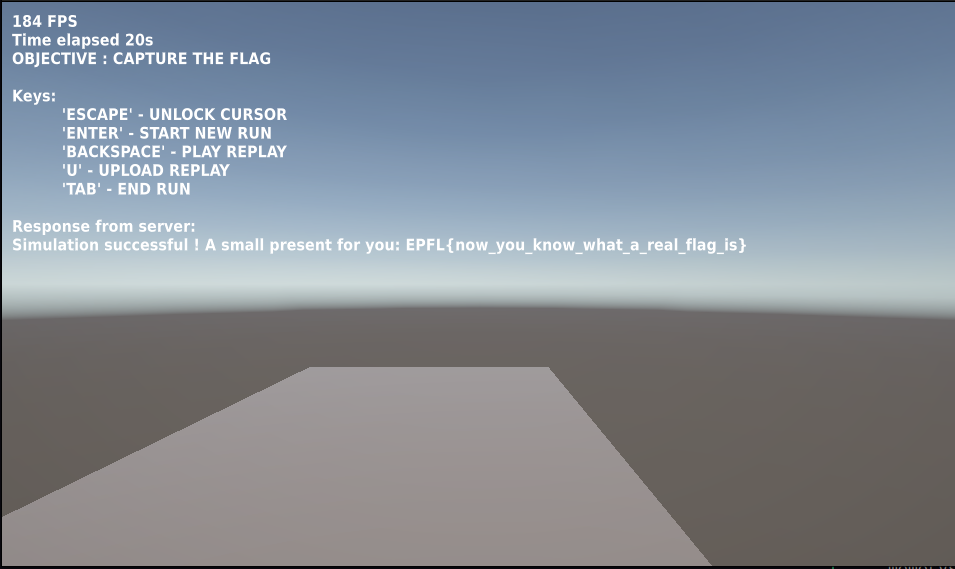
A_REAL_CTF, lakeCTF 2025 Quals
Challenge Overview
Challenge Name: A_REAL_CTF
CTF: Lake CTF 2025
Category: Unity / Rust
The challenge provided:
- a zip file containing a Unity game
- an ELF file name
verifierwritten in Rust
The game
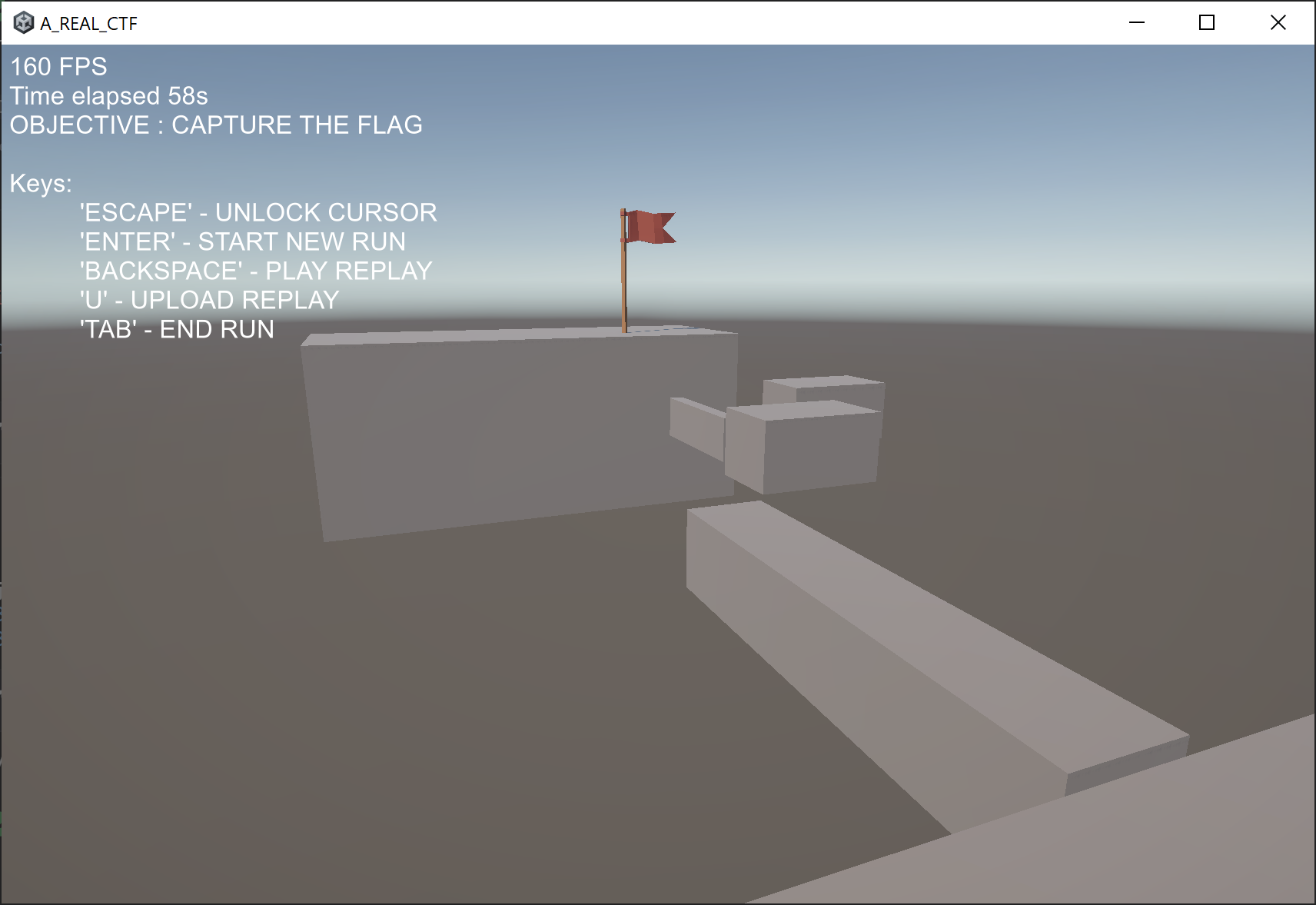
The A_REAL_CTF game consisted in a simple parkour game, where you are supposed to jump from block to block to reach a flag (an actual one), and then come back, to reach a blue block.
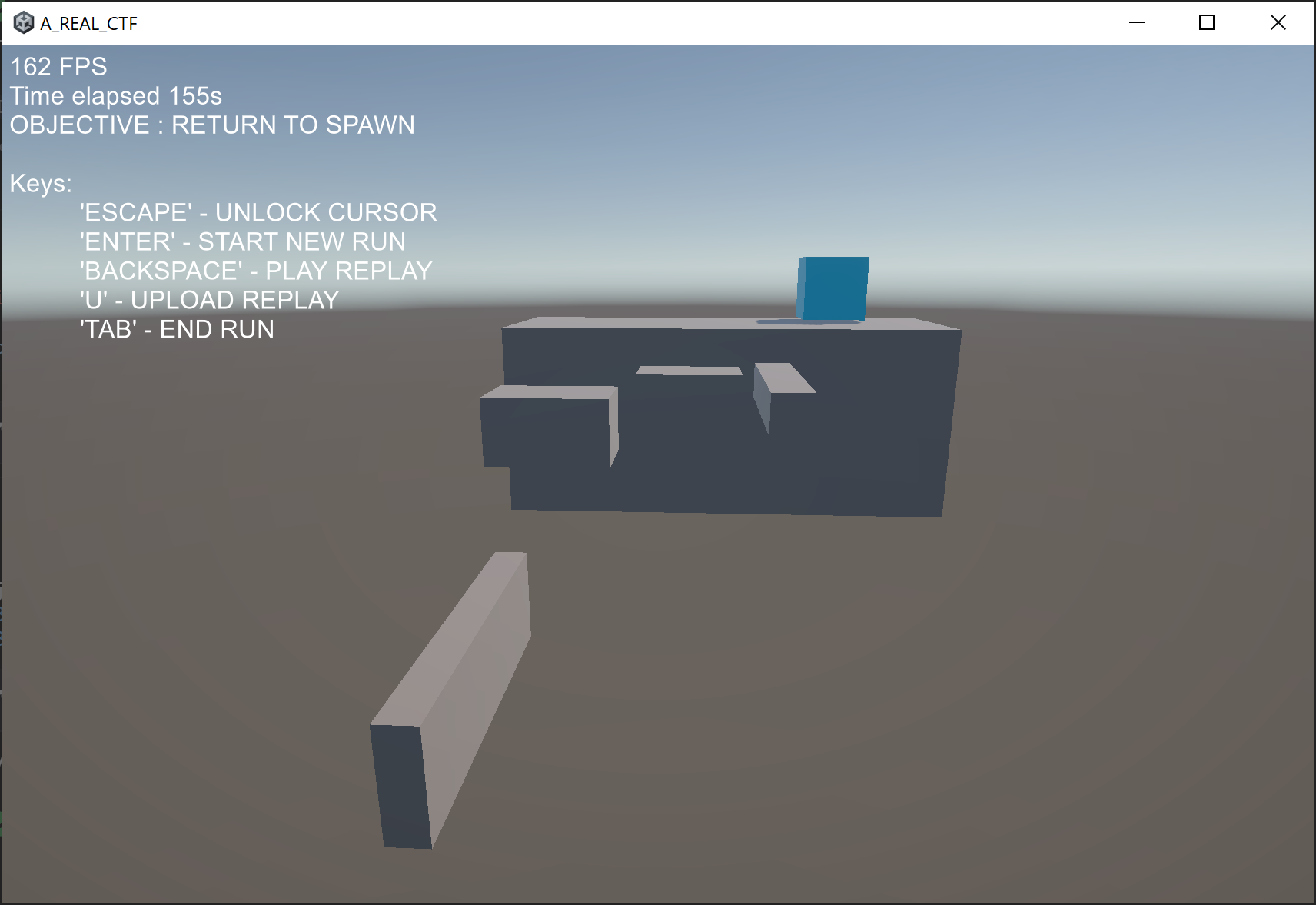
Onece you reach the blue block, you can save a binary file and then a new text box appears in the game saying “Response from the server: Simulation successful but no flag for you” (or sometimes “Simulation failed”).
So, basically the verifier ELF is the server of the game, and the game itself uploads a file to the server letting you save it. If the file uploaded is “correct” in some sense, the server will give us the flag.
Reversing the communication protocol
First of all, we need to understand how the game communicates with the server. The first thing I did was to sniff traffic via Wireshark, but unfortunately the traffic was encrypted via TLS.
So, I decided to decompile the Unity game. Uploaded the Assembly-CSharp.dll file to dnSpy and started to explore the code.
It wasn’t hard to find this code:
using System;
using System.Threading.Tasks;
using UnityEngine.Networking;

// Token: 0x02000012 RID: 18
public class PostRequest
{
	// Token: 0x06000042 RID: 66 RVA: 0x0000315C File Offset: 0x0000135C
	public static async Task<string> SendAsync(string url, byte[] bodyRaw)
	{
		string text;
		using (UnityWebRequest request = new UnityWebRequest(url, "POST"))
		{
			request.uploadHandler = new UploadHandlerRaw(bodyRaw);
			request.downloadHandler = new DownloadHandlerBuffer();
			UnityWebRequestAsyncOperation operation = request.SendWebRequest();
			while (!operation.isDone)
			{
				await Task.Yield();
			}
			if (request.result == UnityWebRequest.Result.ConnectionError || request.result == UnityWebRequest.Result.ProtocolError)
			{
				throw new Exception(request.error);
			}
			text = request.downloadHandler.text;
		}
		return text;
	}
}
Nothing fancy, just a simple POST request sending a byte array. So the server will probably be just a http server receiving a POST request with a binary body.
Replay file
Now that we know how client and server communicate, we need to understand what kind of file the client is sending to the server. To do so, I kept investingating the Unity code with dnSpy, and found these classes:
using System;
using System.Collections.Generic;

// Token: 0x0200000C RID: 12
public struct Replay
{
	// Token: 0x04000027 RID: 39
	public const ulong MAGIC = 72848253210177UL;

	// Token: 0x04000028 RID: 40
	public const ushort VERSION = 1;

	// Token: 0x04000029 RID: 41
	public ushort levelId;

	// Token: 0x0400002A RID: 42
	public List<FrameRecord> frames;
}
using System;
using System.IO;
using SFB;
using UnityEngine;

// Token: 0x02000011 RID: 17
internal class ReplayWriter
{
	// Token: 0x06000039 RID: 57 RVA: 0x00002ED8 File Offset: 0x000010D8
	private ReplayWriter(Replay replay)
	{
		this.replay = replay;
	}

	// Token: 0x0600003A RID: 58 RVA: 0x00002EE8 File Offset: 0x000010E8
	public static void SaveReplay(Replay replay)
	{
		Singleton<CursorController>.Instance.UnlockCursor();
		string text = StandaloneFileBrowser.SaveFilePanel("Save Binary File", "", "data", "bin");
		Singleton<CursorController>.Instance.LockCursor();
		if (text.Length == 0 || string.IsNullOrEmpty(text))
		{
			return;
		}
		File.WriteAllBytes(text, ReplayWriter.replayToBytes(replay));
	}

	// Token: 0x0600003B RID: 59 RVA: 0x00002F40 File Offset: 0x00001140
	public static async void SendReplay(byte[] bodyRaw)
	{
		if (string.IsNullOrEmpty(ReplayWriter.serverURL))
		{
			string text = Path.Combine(Application.dataPath, "../server.txt");
			if (!File.Exists(text))
			{
				Singleton<HUD>.Instance.SendNotification("server.txt file not found at " + text);
				return;
			}
			ReplayWriter.serverURL = File.ReadAllText(text).Trim();
		}
		Singleton<HUD>.Instance.SendNotification("Uploading replay...");
		try
		{
			string text2 = await PostRequest.SendAsync(ReplayWriter.serverURL, bodyRaw);
			Singleton<HUD>.Instance.SendNotification("Response from server: \n" + text2);
		}
		catch (Exception ex)
		{
			Debug.LogError("Error: " + ex.Message);
		}
	}

	// Token: 0x0600003C RID: 60 RVA: 0x00002F77 File Offset: 0x00001177
	public static void UploadReplay(Replay replay)
	{
		ReplayWriter.SendReplay(ReplayWriter.replayToBytes(replay));
	}

	// Token: 0x0600003D RID: 61 RVA: 0x00002F84 File Offset: 0x00001184
	private static byte[] replayToBytes(Replay replay)
	{
		ReplayWriter replayWriter = new ReplayWriter(replay);
		byte[] array;
		using (MemoryStream memoryStream = new MemoryStream())
		{
			using (BinaryWriter binaryWriter = new BinaryWriter(memoryStream))
			{
				replayWriter.writeHeader(binaryWriter);
				replayWriter.writeFrames(binaryWriter);
			}
			array = memoryStream.ToArray();
		}
		return array;
	}

	// Token: 0x0600003E RID: 62 RVA: 0x00002FF0 File Offset: 0x000011F0
	private void writeHeader(BinaryWriter writer)
	{
		if (this.replay.frames.Count > 65535)
		{
			throw new Exception("Too many frames in replay to save!");
		}
		writer.Write(72848253210177UL);
		writer.Write(1);
		writer.Write(this.replay.levelId);
		writer.Write((ushort)this.replay.frames.Count);
	}

	// Token: 0x0600003F RID: 63 RVA: 0x00003060 File Offset: 0x00001260
	private void writeFrames(BinaryWriter writer)
	{
		foreach (FrameRecord frameRecord in this.replay.frames)
		{
			this.writeFrame(writer, frameRecord);
		}
	}

	// Token: 0x06000040 RID: 64 RVA: 0x000030BC File Offset: 0x000012BC
	private void writeFrame(BinaryWriter writer, FrameRecord frame)
	{
		this.writePlayer(writer, frame.playerRecord);
	}

	// Token: 0x06000041 RID: 65 RVA: 0x000030CC File Offset: 0x000012CC
	private void writePlayer(BinaryWriter writer, PlayerRecord player)
	{
		writer.Write(player.position.x);
		writer.Write(player.position.y);
		writer.Write(player.position.z);
		writer.Write(player.rotation.x);
		writer.Write(player.rotation.y);
		writer.Write(player.rotation.z);
		writer.Write(player.rotation.w);
		writer.Write((byte)player.playerActions);
	}

	// Token: 0x04000033 RID: 51
	private Replay replay;

	// Token: 0x04000034 RID: 52
	public static string serverURL;
}
So, the file sent is a binary file containing the information for a Replay of the game. The Replay struct contains:
- a magic number
- a version number
- a level ID
- a list of
FrameRecordstructs
Each FrameRecord contains a PlayerRecord, which contains:
- position (x, y, z)
- rotation (x, y, z, w)
- player actions (as a byte)
The verifier
Now its time to analyze the verifier ELF file. I opened up IDA Free and searched for the string “flag”.
After a bit of reversing, I found out a function that calls a method verifier::replay::read_replay and shortly after verfier::simulator::Simulation::run.
This function is the main function of the verifier, as it reads the replay file and then simulates it using the game physics (collisions, gravity, …) and checks if the game is won (flag and blue block reached). This prevents users from sending arbitrary replay files or using cheats to fly/teleport etc.
If this last function calls returns false, then the program send to the game “Simulation failed”, otherwise it prints “Simulation successful but no flag for you” if the lever ID is not 1 or it sends the flag if the simulation is correct and the level ID is 1.
Easy right? I just need to win level 1 and the game will send me the flag! Problem is, inside the game there is no level 1, only level 0.
Searching for level 1
There was no trace about level 1 inside the Unity game files. The only possibility was that level 1 was hidden somewhere inside the verifier, after all that code is able to implement simulate collisions and check if the flag and blue block are reached, so the level data must be somewhere.
After a bit of reversing, I found a function verifier::game_config::read_level that hopefully reads the level data. The function get called with 2 parameters, the first one passed by reference. So, I guessed, the first parameter is a struct where the level data is stored.
This function is called 2 times, once for level 0 and once for level 1.
I tried to reverse this function to be able to reconstruct this struct, but it was too complicated. So, I decided to use a different approach: by using GBD, I set a breakpoint at the beginning of the function, saved the address stored in rdi then dumped the memory at that address when the fucntion returned.
This is the content of the memory dumped for level 0:
pwndbg> x/128wx 0x7fffffffcef0
0x7fffffffcef0:	0x80000000	0x80000000	0x80000000	0x3f800000
0x7fffffffcf00:	0x41caf3b6	0x40b6e148	0x00000000	0x40000000
0x7fffffffcf10:	0x40000000	0x40000000	0x00000000	0x0f000000
0x7fffffffcf20:	0x80000000	0x80000000	0x80000000	0x3f800000
0x7fffffffcf30:	0xbfc147ae	0x40d23d71	0x40d9a9fc	0x3f800000
0x7fffffffcf40:	0x40800000	0x3f800000	0x00000000	0x0f000000
0x7fffffffcf50:	0x00000006	0x00000000	0x556c2230	0x00005555
0x7fffffffcf60:	0x00000006	0x00000000	0xf7ca0000	0x00007fff
0x7fffffffcf70:	0xc11cf5c3	0x40000000	0x3f400003	0x40000000
[...]
But how to intepret this data? Going back to IDA, I found out that these data should contains coordinates of spawn points and the coordinates of the flag. Then a pointer is stored, pointing to another area in memory, that contains the coordinates and dimensions of the blocks composing the level.
But how do I know what represents what in these data? I decided to use UnityExplorer to dump the coordinates of the blocks in level 0, and then match them with the data dumped from the verifier.
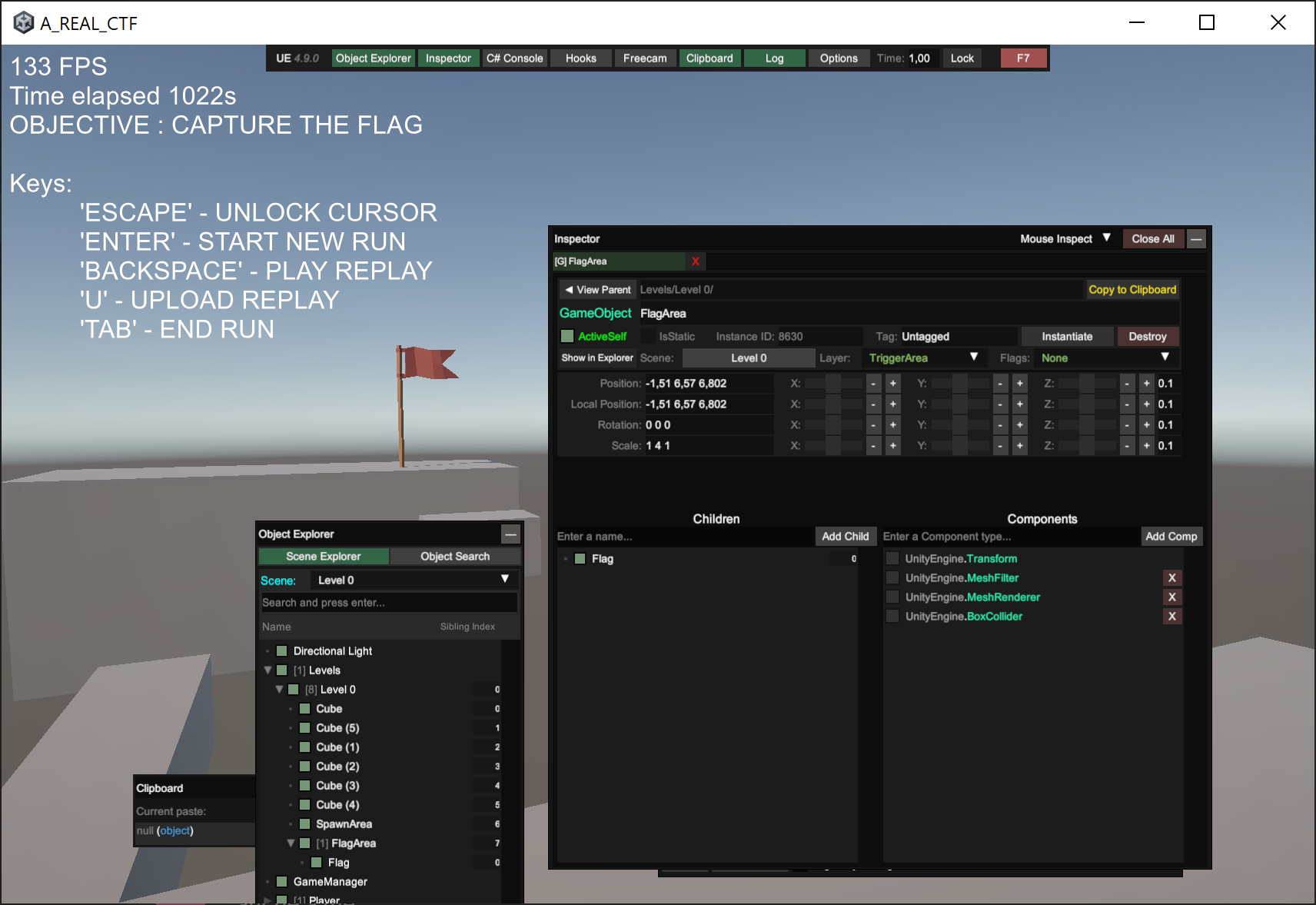
By this comparison, I was able to recover the position of relevant information inside the dumped data.
pwndbg> x/128wx 0x7fffffffcef0
0x7fffffffcef0:	0x80000000	0x80000000	0x80000000	0x3f800000
0x7fffffffcf00:	0x41caf3b6	0x40b6e148	0x00000000	0x40000000 # X,Y,Z of the spawn point/blue block
0x7fffffffcf10:	0x40000000	0x40000000	0x00000000	0x0f000000
0x7fffffffcf20:	0x80000000	0x80000000	0x80000000	0x3f800000
0x7fffffffcf30:	0xbfc147ae	0x40d23d71	0x40d9a9fc	0x3f800000 # X,Y,Z of the flag
0x7fffffffcf40:	0x40800000	0x3f800000	0x00000000	0x0f000000
0x7fffffffcf50:	0x00000006	0x00000000	0x556c2230	0x00005555 # 0x5555556c2230 is a pointer to the blocks data
0x7fffffffcf60:	0x00000006	0x00000000	0xf7ca0000	0x00007fff
0x7fffffffcf70:	0xc11cf5c3	0x40000000	0x3f400003	0x40000000
[...]
pwndbg> x/80wx 0x5555556c2230
0x5555556c2230:	0x80000000	0x80000000	0x80000000	0x3f800000
0x5555556c2240:	0x41c23d71	0x3fdd70a4	0x4063d70a	0x40a33333 # X,Y,Z coordinates and scaleX of block 1
0x5555556c2250:	0x40b92aae	0x415a75a3	0x00000000	0x0f000000 # scaleY and scaleZ of block 1
0x5555556c2260:	0x80000000	0x80000000	0x80000000	0x3f800000
0x5555556c2270:	0xc0166666	0x3fdd70a4	0x4063d70a	0x40a33333 # X,Y,Z coordinates and scaleX of block 2
0x5555556c2280:	0x40b92aae	0x415a75a3	0x00000000	0x0f000000 # scaleY and scaleZ of block 2
0x5555556c2290:	0x80000000	0x80000000	0x80000000	0x3f800000
0x5555556c22a0:	0x419147ae	0x404f5c29	0x401322d1	0x40a9999a # X,Y,Z coordinates and scaleX of block 3
0x5555556c22b0:	0x3f800000	0x3f800000	0x00000000	0x0f000000 # scaleY and scaleZ of block 3
0x5555556c22c0:	0x80000000	0x80000000	0x80000000	0x3f800000
0x5555556c22d0:	0x415947ae	0x407b126f	0x40923d71	0x3fa00000 # X,Y,Z coordinates and scaleX of block 4
0x5555556c22e0:	0x3f8b851f	0x3ffeb852	0x00000000	0x0f000000 # scaleY and scaleZ of block 4
0x5555556c22f0:	0x80000000	0x80000000	0x80000000	0x3f800000
0x5555556c2300:	0x412e6666	0x407b126f	0x40d75c29	0x3fa00000 # X,Y,Z coordinates and scaleX of block 5
0x5555556c2310:	0x3f8b851f	0x3ffeb852	0x00000000	0x0f000000 # scaleY and scaleZ of block 5
0x5555556c2320:	0x80000000	0x80000000	0x80000000	0x3f800000
0x5555556c2330:	0x40b20c4a	0x40266666	0x40d1eb85	0x405d70a4 # X,Y,Z coordinates and scaleX of block 6
0x5555556c2340:	0x3f8b851f	0x3ec28f5c	0x00000000	0x0f000000 # scaleY and scaleZ of block 6
Now that I know how the level data is stored in memory, I can easily reconstruct all the relevant information (spawn point, flag point, blocks data) for level 1 by repeating the same process.
By doing so, I obtained the following data for level 1:
# x coordinates of the blocks
x = [24.280000686645508, 2.619999885559082, 18.15999984741211, 14.1899995803833, 12.010000228881836, 10.012999534606934, 8.09000015258789, 6.320000171661377, 17.170000076293945, 18.170000076293945, 16.079999923706055]
# y coordinates of the blocks
y = [1.7300000190734863, 10.510000228881836, 5.909999847412109, 9.569999694824219, 10.572999954223633, 11.770999908447266, 11.770999908447266, 11.770999908447266, 6.380000114440918, 7.050000190734863, 8.300000190734863]
# z coordinates of the blocks
z = [33.40999984741211, 36.5, 32.14900207519531, 37.20000076293945, 36.70000076293945, 36.70000076293945, 36.70000076293945, 36.70000076293945, 34.42000198364258, 37.20000076293945, 37.29999923706055]
# scales of the blocks
d1 = [5.099999904632568, 3.069999933242798, 5.300000190734863, 1.600000023841858, 1.600000023841858, 0.5, 0.5, 0.5, 1.25, 1.25, 1.5]
d2 = [5.786459922790527, 1.3899999856948853, 1.0, 1.0, 1.0, 1.0, 1.0, 1.0, 0.4000000059604645, 1.090000033378601, 1.090000033378601]
d3 = [13.653719902038574, 2.640000104904175, 1.0, 1.0, 1.0, 1.5, 1.5, 1.5, 1.9900000095367432, 1.9900000095367432, 0.3199999928474426]

# x,y,z of the spawn point/blue block
blue_block = [25.368999481201172, 5.715000152587891, 29.850000381469727]

# x,y,z of the flag
flag = [1.9299999475479126, 13.029999732971191, 36.900001525878906]
Reconstructing the level 1
Now that I have all the data needed to reconstruct level 1, I just need to write a script that changes objects properties in the Unity game to match level 1 data.
For this purpose I used again UnityExplorer:
using UnityEngine;
using System.Linq;

// ===== YOUR DATA =====
float[] x = {24.2800007f, 2.6199999f, 18.16f, 14.19f, 12.01f, 10.013f, 8.09f, 6.32f, 17.17f, 18.17f, 16.08f};
float[] y = {1.73f, 10.51f, 5.91f, 9.57f, 10.573f, 11.771f, 11.771f, 11.771f, 6.38f, 7.05f, 8.3f};
float[] z = {33.41f, 36.5f, 32.149f, 37.2f, 36.7f, 36.7f, 36.7f, 36.7f, 34.42f, 37.2f, 37.3f};

float[] d1 = {5.1f, 3.07f, 5.3f, 1.6f, 1.6f, 0.5f, 0.5f, 0.5f, 1.25f, 1.25f, 1.5f};
float[] d2 = {5.78646f, 1.39f, 1f, 1f, 1f, 1f, 1f, 1f, 0.4f, 1.09f, 1.09f};
float[] d3 = {13.65372f, 2.64f, 1f, 1f, 1f, 1.5f, 1.5f, 1.5f, 1.99f, 1.99f, 0.32f};

Vector3 blueBlock = new Vector3(25.369f, 5.715f, 29.85f);
Vector3 flagPos   = new Vector3(1.93f, 13.03f, 36.9f);

// ===== FIND BLOCKS (by name or tag) =====
// Change this string if your block objects are named differently!
var blocks = GameObject.FindObjectsOfType<Transform>()
    .Where(t => t.name.ToLower().Contains("block"))
    .OrderBy(t => t.name)
    .ToArray();

for(int i = 0; i < blocks.Length && i < x.Length; i++)
{
    blocks[i].position = new Vector3(x[i], y[i], z[i]);
    blocks[i].localScale = new Vector3(d1[i], d2[i], d3[i]);
}

Debug.Log($"Updated {Mathf.Min(blocks.Length, x.Length)} blocks");


// ===== BLUE SPAWN BLOCK =====
var blue = GameObject.FindObjectsOfType<Transform>()
    .FirstOrDefault(t => t.name.ToLower().Contains("blue"));

if(blue != null)
{
    blue.position = blueBlock;
    Debug.Log("Blue spawn moved");
}
else Debug.LogWarning("Blue block not found");


// ===== FLAG =====
var flagObj = GameObject.FindObjectsOfType<Transform>()
    .FirstOrDefault(t => t.name.ToLower().Contains("flag"));

if(flagObj != null)
{
    flagObj.position = flagPos;
    Debug.Log("Flag moved");
}
else Debug.LogWarning("Flag not found");
After running this script inside the Unity game, level 1 was finally reconstructed!
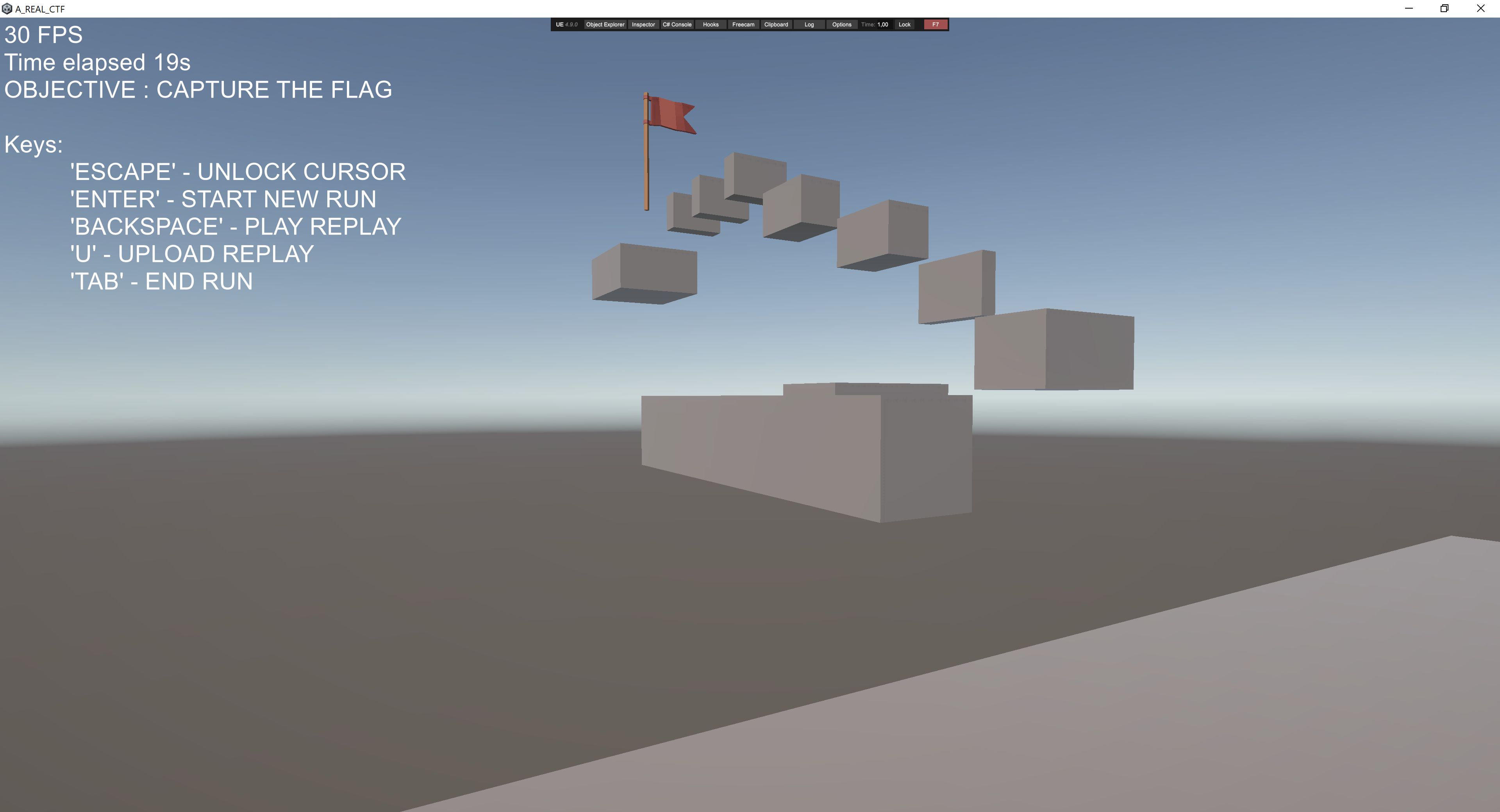
Winning level 1
Now that level 1 was reconstructed, I just had to win it. Actually it was impossible to win locally, cause the flag collisions were not working, but it didt matter, I just had to reach the starting position after touching the flag.
Then i saved the replay file, patched the level ID using python, opened again the game and uploaded the patched replay file to the verifier.